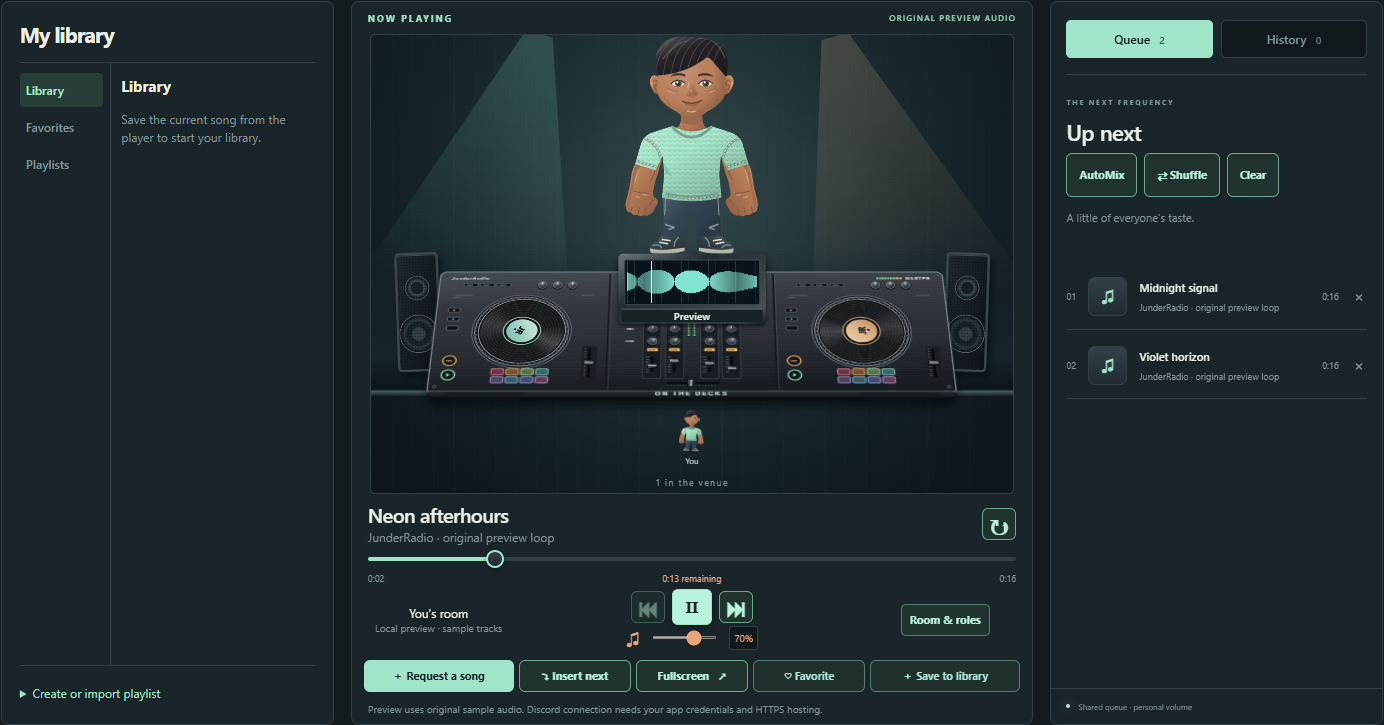
Open a JunderRadio room and let everyone bring a song. Friends can listen together, add tracks to the shared queue, and save favorites to their libraries. Switch on Auto Mix to let the player choose from ten transitions based on the tracks.
Customize your DJ and deck, or open Song Wars to put two picks head-to-head and let the room vote. To start, add JunderRadio to your Discord account and run /junder panel, then choose Watch in Discord. You can also sign in at JunderAudio.com with the same Discord account.
If you are hosting for the first time, try /junder request to add a track, /junder queue to see what is coming up, or /junder help for the command guide. The room owner can set roles, decide who can control playback, and pick a sponsored color theme for everyone in the room. Each listener can set their own volume.
Keep your favorite tracks in your library so they are ready the next time you host. Spend JunderCoins on wardrobe items and build a look for your DJ before taking the decks. If you want a change of pace, try a Song Wars tournament and see whose pick wins the room. On iPhone, open the website in Safari or Chrome and add it to your Home Screen for quick access to your radio.
Slash commands• /junder panel — Post the JunderRadio player controls.
• /junder request song: — Request a YouTube song, direct audio URL, or radio stream.
• /junder watch — Open your shared music Activity inside Discord.
• /junder queue — See what is coming up next.
• /junder skip — Skip the current track.
• /junder help — Learn how to use JunderRadio.
A confirmed DiscordBotList vote earns 500 JunderCoins for the Discord account that voted. Open Earn Coins in the Shop or footer to vote. For help, join the JunderAudio support server and open #radio-help.