
Kazkar is a Discord bot that takes notes for your D&D or tabletop RPG group. It records your session in the voice channel and writes it all up for you: a recap of what happened, session notes, and a wiki of every NPC, place and faction. It only records when you type /summon, and nobody at the table has to be the note-taker again.
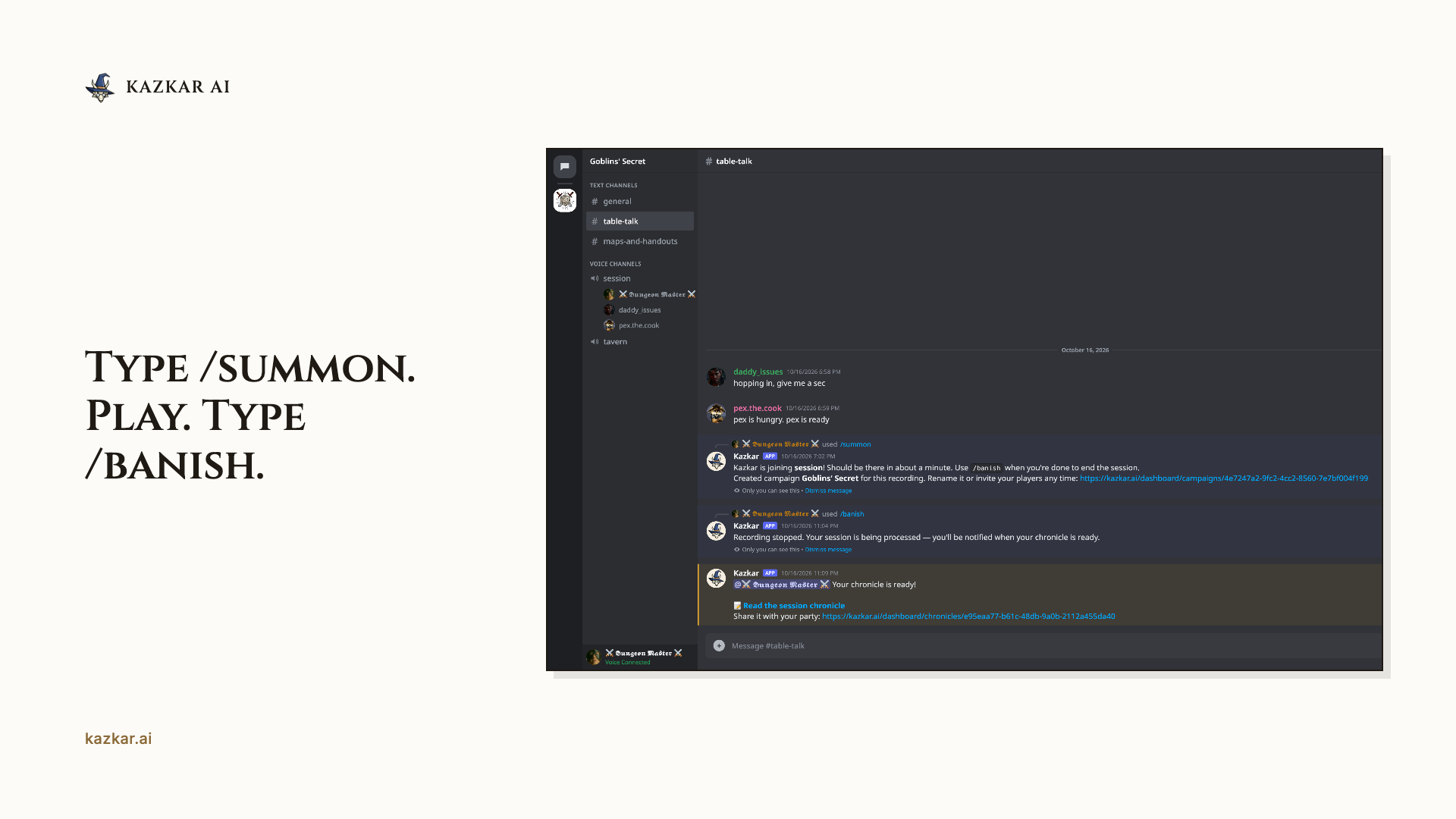
How it works- Add Kazkar to your server and create a campaign on kazkar.ai (about 2 minutes)
- Type /summon in your voice channel and play as usual. Taking a break? Type /pause and your hours stop counting
- Type /banish when you’re done. A few minutes later, your notes are ready
I have literally no words. It was great. Perfect even. It did get some names wrong but hey it’s a small thing for what it gives you! We want to play more but with the limited hours we kinda want to save them unless there’s some way to get more hours o didn’t see.
It did everything I wanted. It was a great addition to our game. Our note taker Chloe was so happy at the end when it got very detailed notes. Fantastic job guys
— Umiam, Kazkar Discord server, “Feedback after session 1”, October 5, 2026
thank you, even through we had the once off with it not recording, its actually really good. i do wish you could edit what it records so we could correct the overview of some of the npc"s, might be an idea so if it doesn’t record the right thing we can go and edit it.
— bashbash127, Kazkar Discord server, October 10, 2026
What you get after every sessionWe tried out this bot and it works really well, I’ll invite my DM friend as well, thank you!
— serevae, Kazkar Discord server, October 17, 2026
- A session recap that reads like a story. We call it a chronicle: what happened, who said what and the key moments, written as narrative prose instead of a wall of transcript
- A campaign wiki that fills itself in. NPCs, locations, factions and items, linked together and updated after every session
- A campaign journal for your own notes. Write prep notes with @-mentions, and they feed the same wiki as your recorded sessions
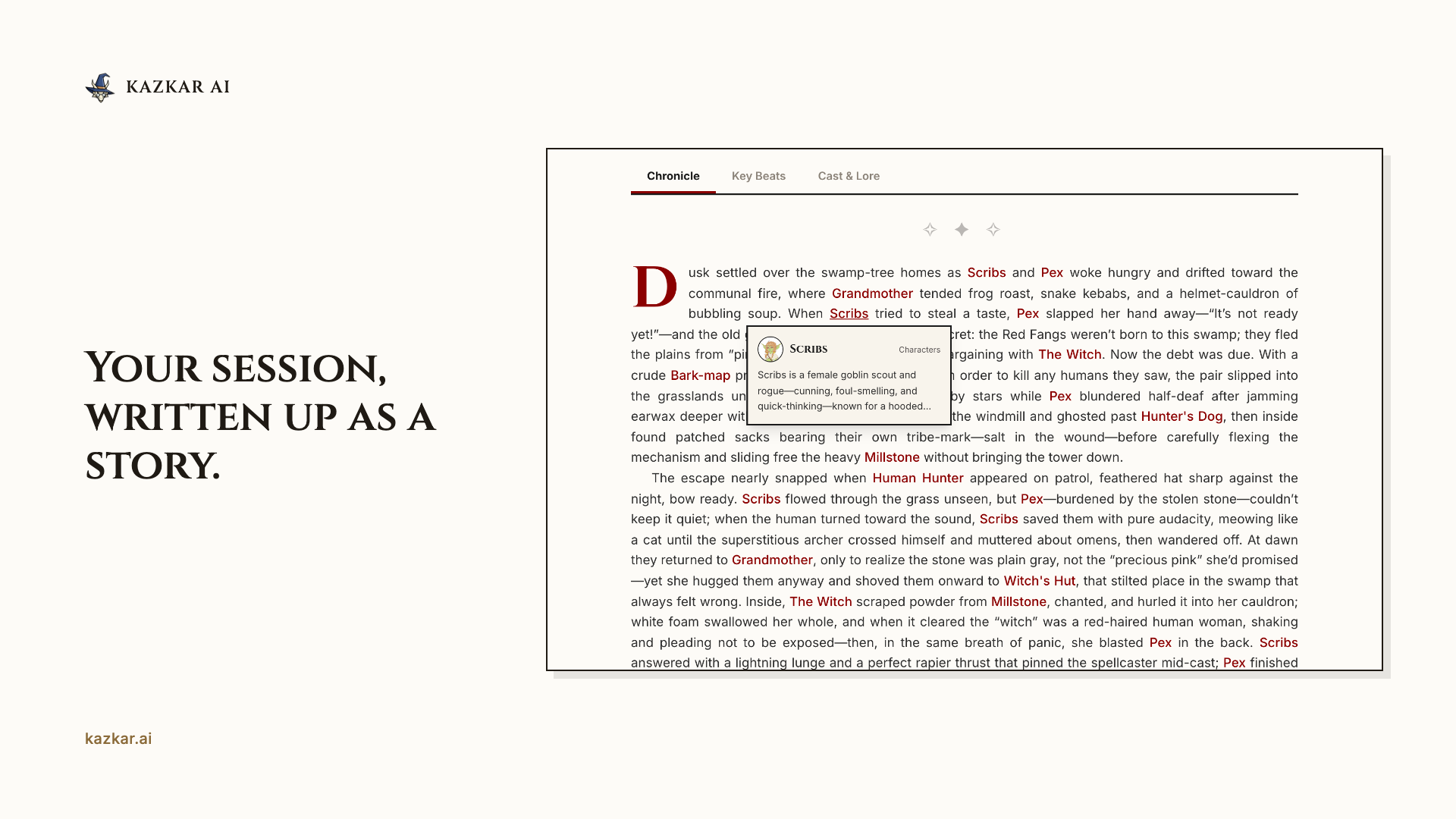
- Opening each game with a “Previously on…” recap
- Catching up a player who missed a session
- Getting a long campaign back on track after a break
- Keeping track of NPC names, places and who’s who
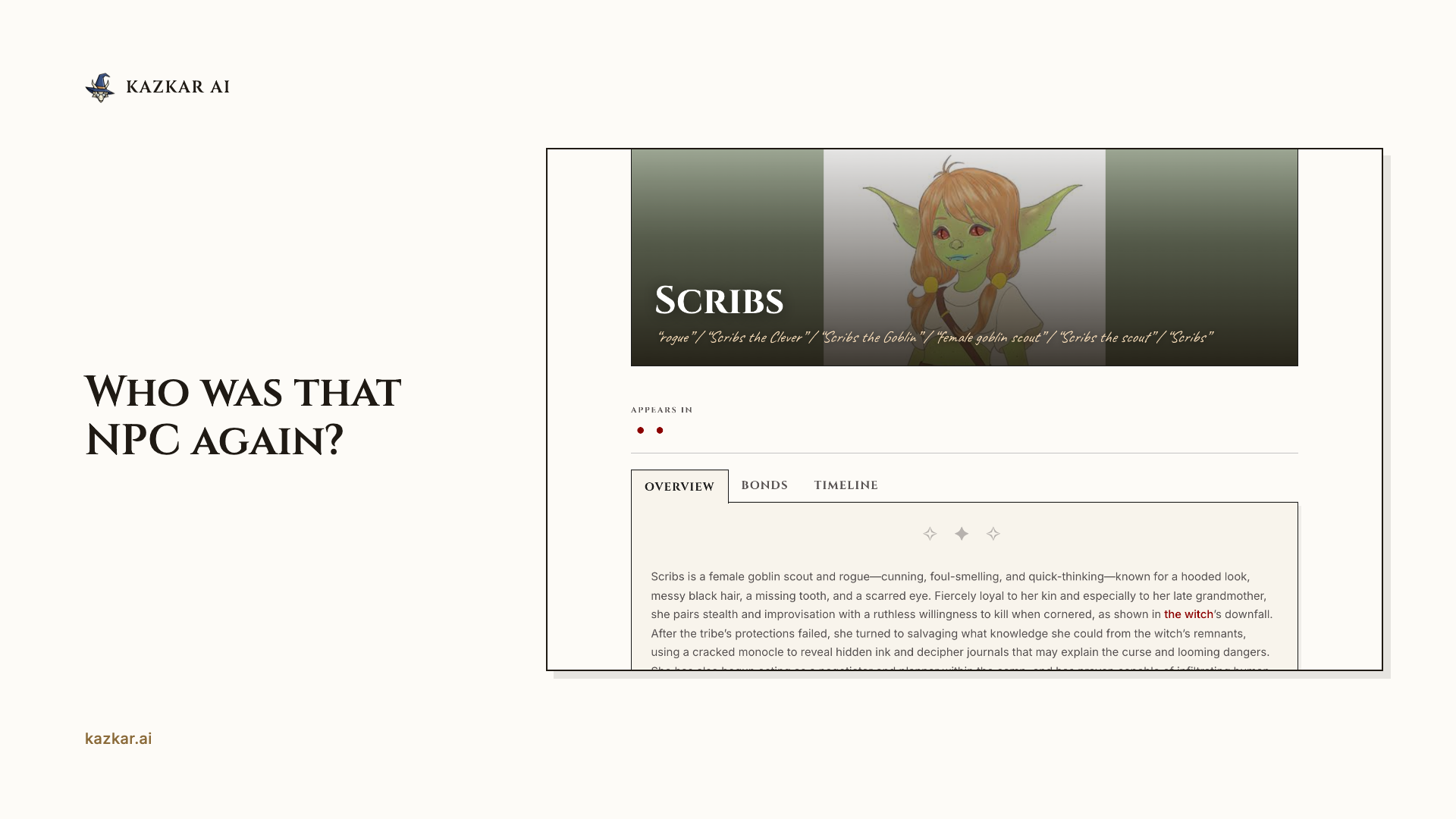
- Your characters’ names, not Discord usernames. Players link their accounts, so every line is credited to the right character. Kazkar records each voice separately, so it knows exactly who said what
- Notes and a story in one. The same session gives you a chronicle you’ll enjoy reading and a wiki you can search
- You stay in control. Review lore changes after each session, or turn on manual approval so nothing is saved without you. Edit any line of a chronicle with a double-click
- 10+ languages. English, Spanish, French, German, Ukrainian, Japanese, Korean and more
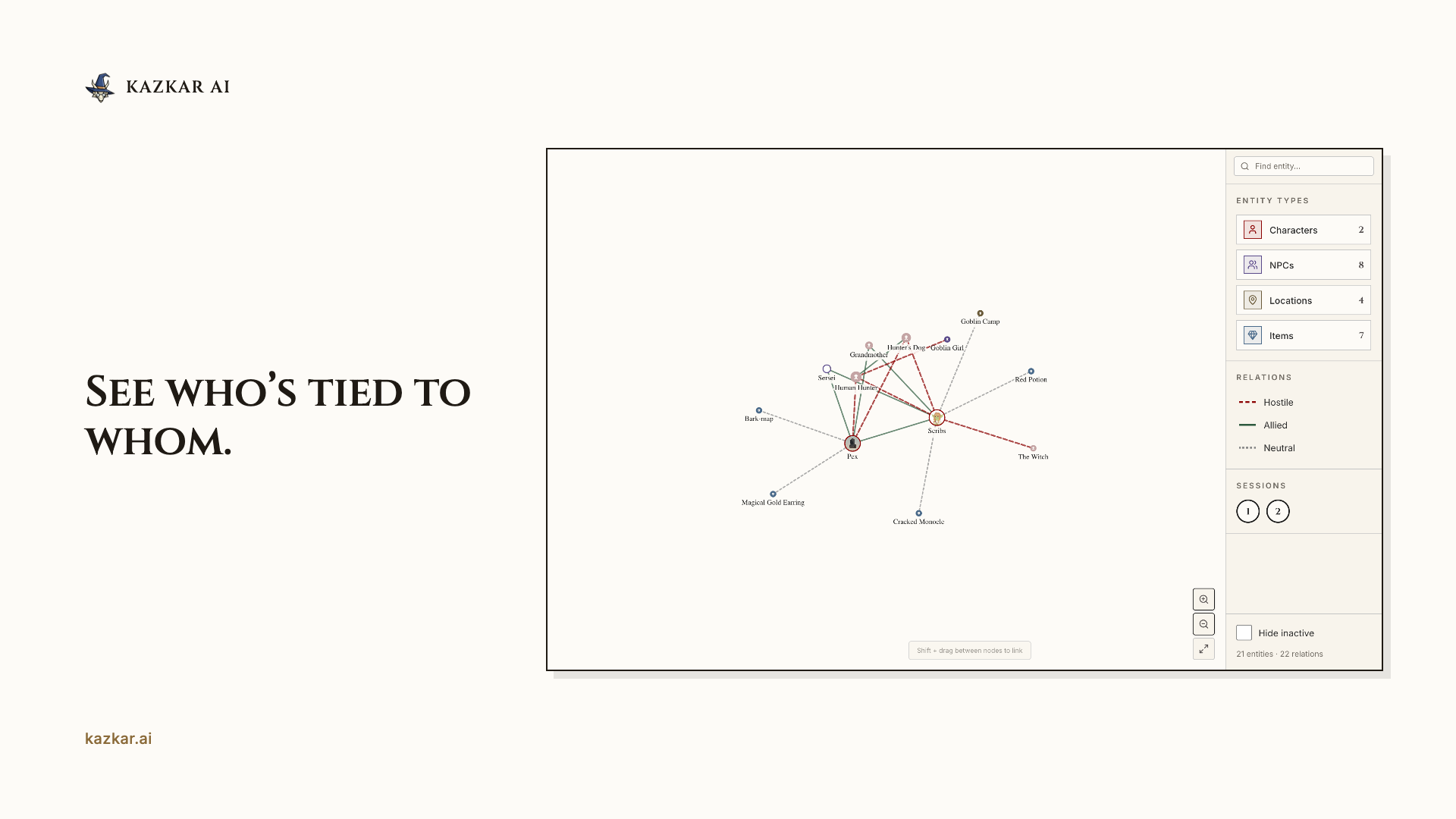
- A relationship graph. See at a glance who knows whom, which faction is behind what, and where it all happened
Bring it with you. Create a session for any game you’ve already played, paste in your notes and pick the date. It shows up in your session list next to the recorded ones, and Kazkar adds every NPC, place and faction it finds to your wiki. Your campaign history lives in one place, from session one, even if Kazkar wasn’t at the table.
Any systemD&D 5e, Pathfinder, Daggerheart, Call of Cthulhu, FATE, Lancer, Savage Worlds: if you play it over Discord voice, Kazkar takes the notes.
Privacy first- Audio is deleted after processing
- Players join through an invite link, so everyone at the table opts in
- Your notes and chronicles stay private to your campaign unless you choose to share them
It doesn’t invent dialogue or plot. It records what your table actually said and did, and keeps it from getting lost.
Free to start10 free hours of recording to try it out, up to 3 campaigns, no credit card. Check what’s left anytime with /balance.
Commands- /summon — start recording in your voice channel
- /pause — pause the recording; hours stop counting
- /banish — stop recording and write up the session
- /balance — see how many hours you have left
- /help — everything else



