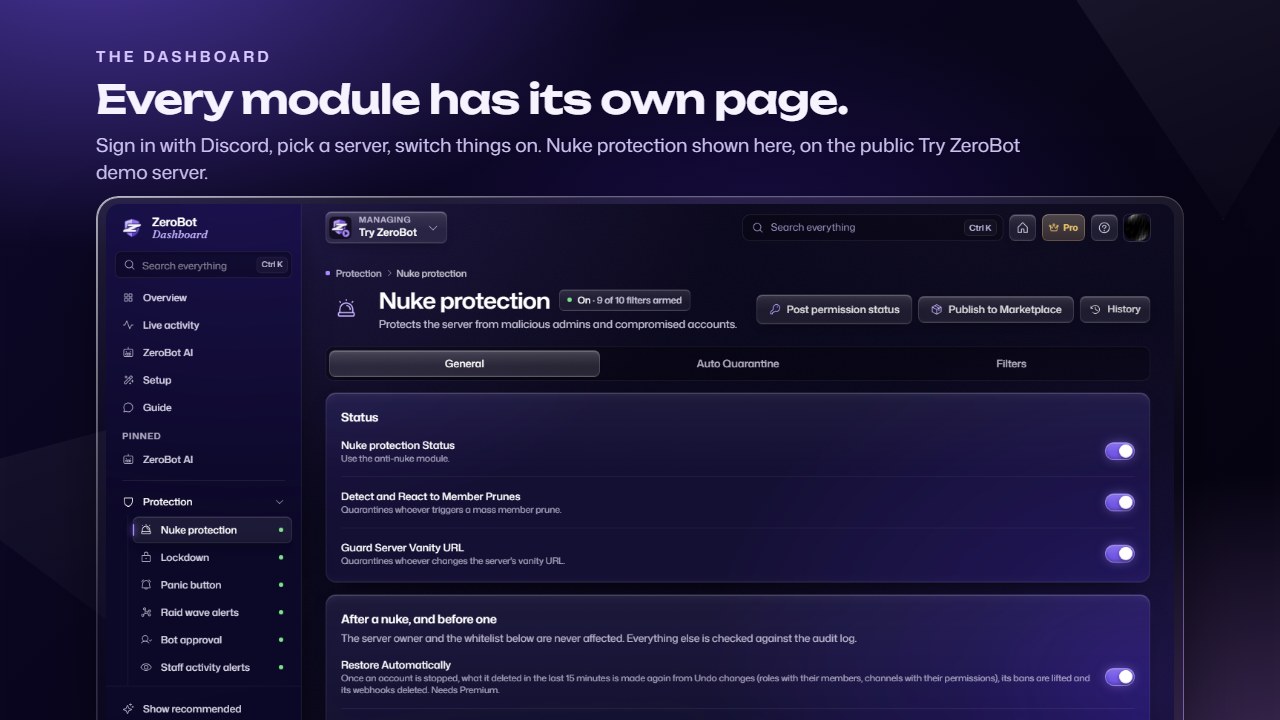
ZeroBot builds, guards and runs your Discord server, all from one web dashboard. Describe the server you want and ZeroBot AI builds it. Anti-nuke and raid protection watch it. Tickets, moderation, logs and welcome messages run it. No config commands to learn.
ZeroBot is verified by Discord, and the dashboard speaks English, German, French, Spanish, Portuguese, Turkish, Polish and Italian.
Start in a minute- Add ZeroBot to your server.
- Open https://zerobot.eu/?ref=dbl and sign in with Discord.
- Press Set up in 1 minute on the Get started card (or in
/help), pick what kind of server it is, and ZeroBot turns on welcome messages, logs, a spam filter and nuke protection, plus a ticket panel on a support server. It never overwrites what you set, and one Undo puts it all back.
Your 5 free days of ZeroBot Plus start with that first setup, not the moment ZeroBot joins.
- Hand a ticket to the AI: staff type
/aihandoverin an open ticket, with a private note if they like, and Ticket AI takes over. Writing in the ticket or claiming it takes it back. - Fairer automod strikes: repeats within 90 seconds of the first hit count as one strike, and a worse repeat still raises it.
- Setup time: for the first 24 hours, nuke protection lets you and your setup bots build the server. Dangerous permissions, the bot role and your vanity URL are guarded from the first second.
- Encrypted data: levels, cases, tickets, transcripts, backups and the message backup are stored encrypted (AES-256-GCM), and ZeroBot no longer reads anyone’s online status.
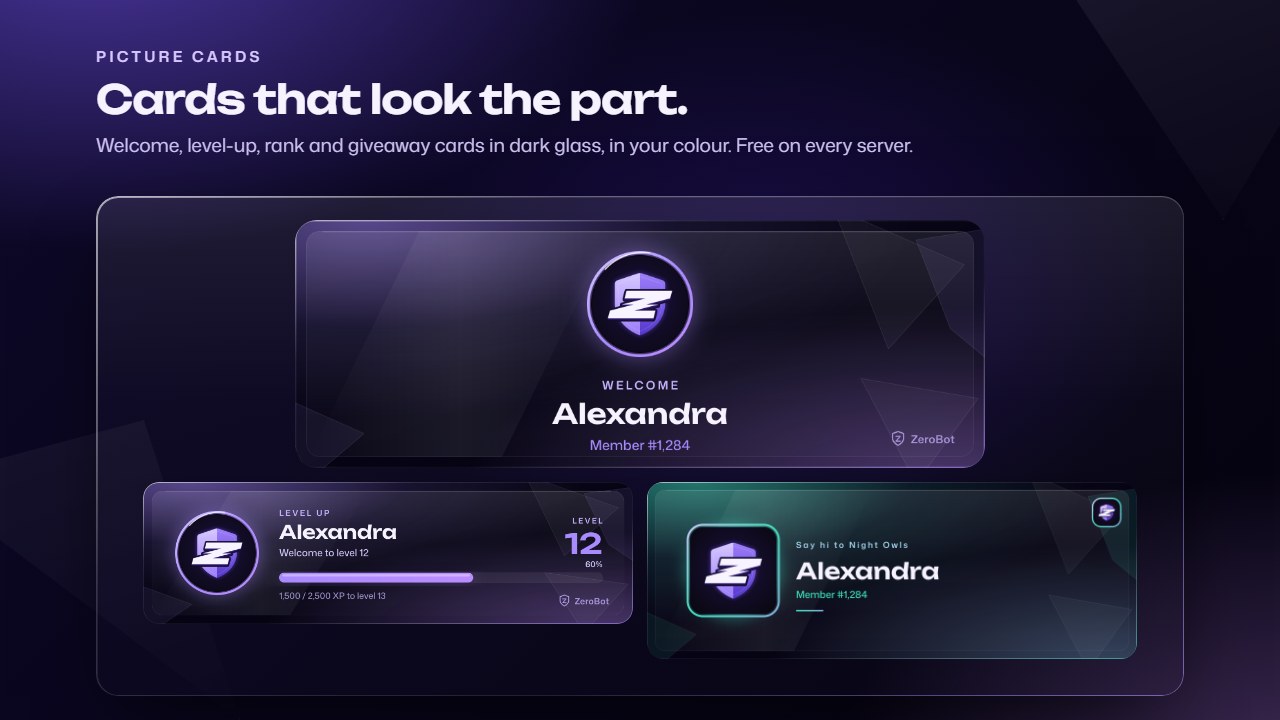
- New picture cards for welcome, level-up, rank and giveaways, in dark glass.
- What ZeroBot did: the Overview counts the raids stopped, actions taken and members welcomed in the last 30 days.
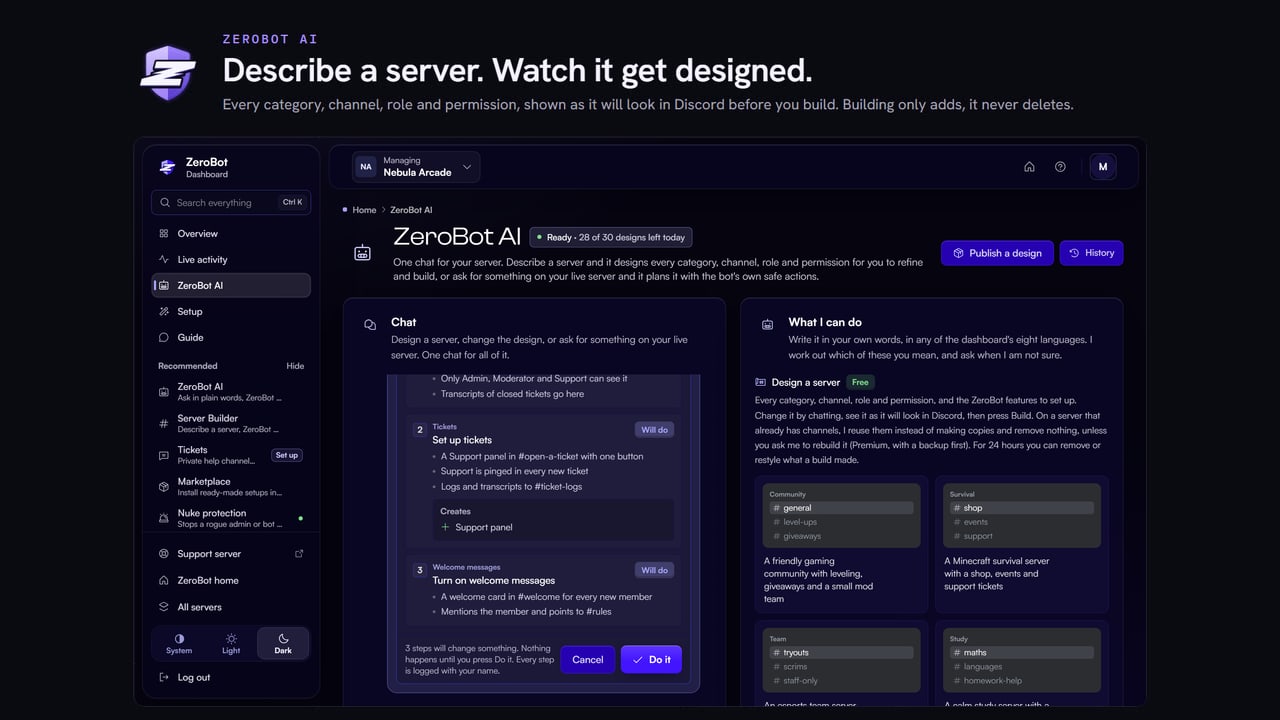
- ZeroBot AI: describe the server you want and it designs the categories, channels, roles and permissions. It also sets up modules such as tickets, verification, logs and welcome messages. You see an editable preview first, and nothing changes until you press Build.
- Server Builder: a complete server from a template (gaming, roleplay, esports, hangout, trading and more) in one click.
- Marketplace: install finished setups such as ticket panels, role menus, verification, protection presets or whole layouts. You map them to your own channels and roles, see a preview, and can undo an install for 24 hours. Browse it without signing in: https://zerobot.eu/explore?ref=dbl
- Builds and installs only add things. ZeroBot does not delete channels or roles unless you confirm it.
- Anti-nuke: watches for mass channel and role deletions, mass bans, webhook spam and dangerous permission grants, and quarantines the account doing it.
- Raid protection: raid mode pauses invites during a burst of joins, removes bot-looking accounts and lifts itself when it is quiet again.
- Verification with a button or a captcha, plus an account-age gate.
- Automod for spam, caps, invites and mass mentions, and AI moderation that rates messages, with Undo and False positive on every action.
- Honeypot channel, anti-impersonation for names that copy your staff, and bot approval: a newly added bot waits in quarantine until the server owner allows it.
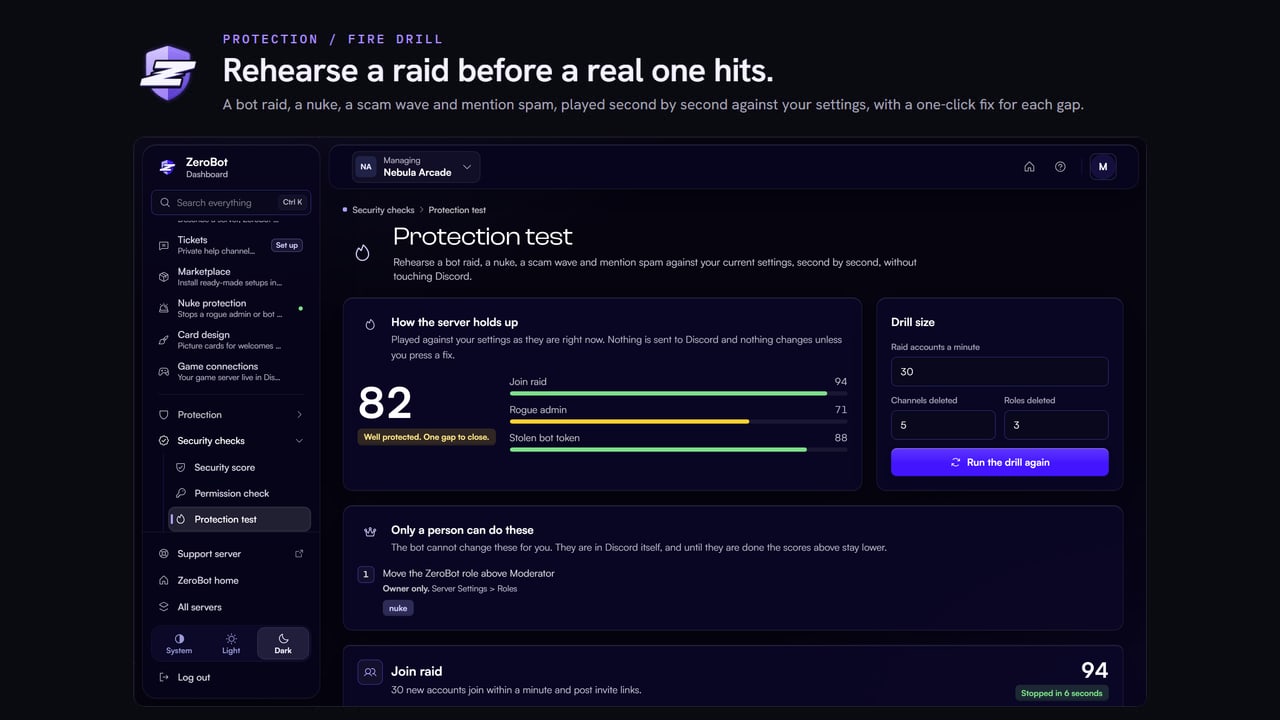
- Security Center grades your settings,
/paniclocks the server in one step, and Fire Drill replays a raid against your settings without touching Discord. - Undo changes (Premium) records every change to channels, roles and permissions with who made it (7 days on Plus, 30 on Pro, 90 on Ultra), rewinds one change or everything after a point, and can put a deleted channel’s messages back.
- Shield Network: servers that opt in warn each other about accounts ZeroBot confirmed as harmful. Free posts a warning; Premium quarantines, kicks or bans them the moment they join.
- Slash commands:
/ban/unban/softban/kick/timeout/untimeout/purge/slowmode/lock/unlock/nick/role, warnings with/warn/warnings/unwarn, and the record with/case/note/history. - Every action becomes a numbered case with a mod log card, and most can be undone for 10 minutes.
- The Command Access page sets which staff roles may use each command.
- Logging for more than 40 event types, each to the channel you choose.
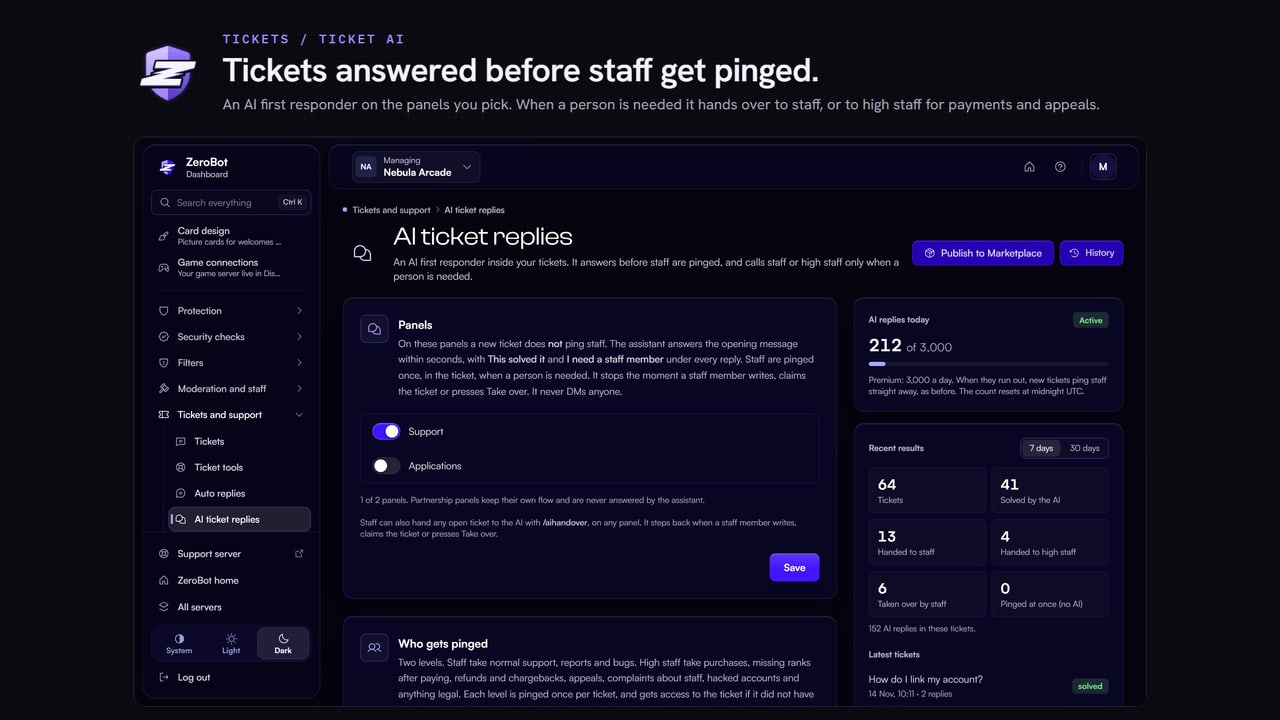
- Tickets: panels with buttons or a dropdown, multi-panels, claiming, transcripts and ratings. Ticket AI answers inside a ticket from your server info and hands over to staff with a short summary, and
/aihandovergives it a ticket staff already opened. - Auto Answers reply to common questions in chat, such as where the rules are.
- Applications with up to 20 questions per position and a writing check that tells reviewers how likely an answer was pasted from an AI chatbot, plus Forms for sign-ups and feedback.
- Message reports, Member 360 (everything about one member on one page) and Auto Promotions for staff.
- Welcome, leave and boost messages, reaction roles and self roles.
- Leveling with level roles, an economy with a shop you fill, giveaways, birthdays, invite tracking, reputation and mini games.
- Social alerts for YouTube, Twitch, Reddit and RSS.
- Scheduled and sticky messages, and Advanced Messages: a builder for Discord’s Components V2 layouts with buttons and pages.
- Automations: triggers, conditions and actions without code, with a dry run before anything goes live.
- Picture cards: free on every server in the ZeroBot look. Plus adds your colours, background picture, fonts, your own lines and your server’s icon.
- Connect Minecraft (Java and Bedrock), FiveM and RedM, Roblox and ER:LC, Palworld and Steam games such as CS2, Rust and ARK.
- A live card shows who is playing, game events show up in your server, and on Pro staff can send messages into the game.
- One connection is free. Plus has 3, Pro 10, Ultra up to 50.
- Analytics for your server in the way YouTube Studio shows a channel: growth, engagement, community and moderation, with insights in plain words.
- The overview (28 days) is free. Every tab and 90 days of history come with Plus.
Free, with no Premium limit: welcome, leave and boost messages; every log type and log channel; reaction roles and self roles; Advanced Messages; ticket panels and multi-panels; staff applications with up to 20 questions per position; every moderation command and case type, warnings included.
Free with a limit (the Premium limit in brackets):
- sticky messages and scheduled messages: 10 each (25 each)
- strict chat filter and profile screening, with 50 AI image checks a day (1,000)
- ZeroBot AI: 10 designs and 5 builds a day (60 and 25, plus actions on your live server)
- Ticket AI: 30 replies a day (500)
- Auto Answers: 15 entries (100)
- Automations: 5 (50)
- Forms: 3 (25)
- Premium is per server, in three plans: Plus, Pro and Ultra. Every new server gets ZeroBot Plus free for 5 days. The days start when you set ZeroBot up (Set up in 1 minute, your first saved setting,
/configor/import), once per server and owner account. - Launch prices until 30 November: Plus $3.99, Pro $7.99 and Ultra $49.99 a month, then $4.99, $9.99 and $69.99. Discord shows the price in your currency. Plans: https://zerobot.eu/premium?ref=dbl
- Premium raises the limits above and adds the exclusives: Bot Profile (ZeroBot’s own name, avatar, banner and bio on your server), Backups, Undo changes with message backup, AI answers before a ticket is opened, Server makeover (Pro) and dashboard theming.
- Referrals: when a new server adds ZeroBot through your server’s referral link, your server earns Premium days, and 30 more when that server buys a plan and keeps it for a week.
- Your members get no DMs for verification, tickets, warnings or automations: it all stays in your server. ZeroBot sends three kinds of direct message only: one welcome note to the person who adds it, a note to the server owner if bot approval alerts are on, and a short note to a ticket’s opener with who closed it and why (a server can switch that off).
- What ZeroBot stores about your server is encrypted, and it never reads online status.
- The invite asks for Administrator only. If it is unticked, ZeroBot joins without permissions and lists what it is missing in its permission status card.
/helpexplains the modules and links the dashboard. It and the welcome card have an Invite ZeroBot button.- Dashboard sign-in only asks Discord who you are and which servers you manage.
- Dashboard: https://zerobot.eu/?ref=dbl
- Premium plans: https://zerobot.eu/premium?ref=dbl
- Marketplace: https://zerobot.eu/explore?ref=dbl
- Guide: https://zerobot.eu/guide?ref=dbl
- Status page: https://zerobot.eu/status?ref=dbl
- Privacy policy: https://zerobot.eu/privacy
- Terms: https://zerobot.eu/terms
- Support server: https://discord.gg/7D9bwSf7Js